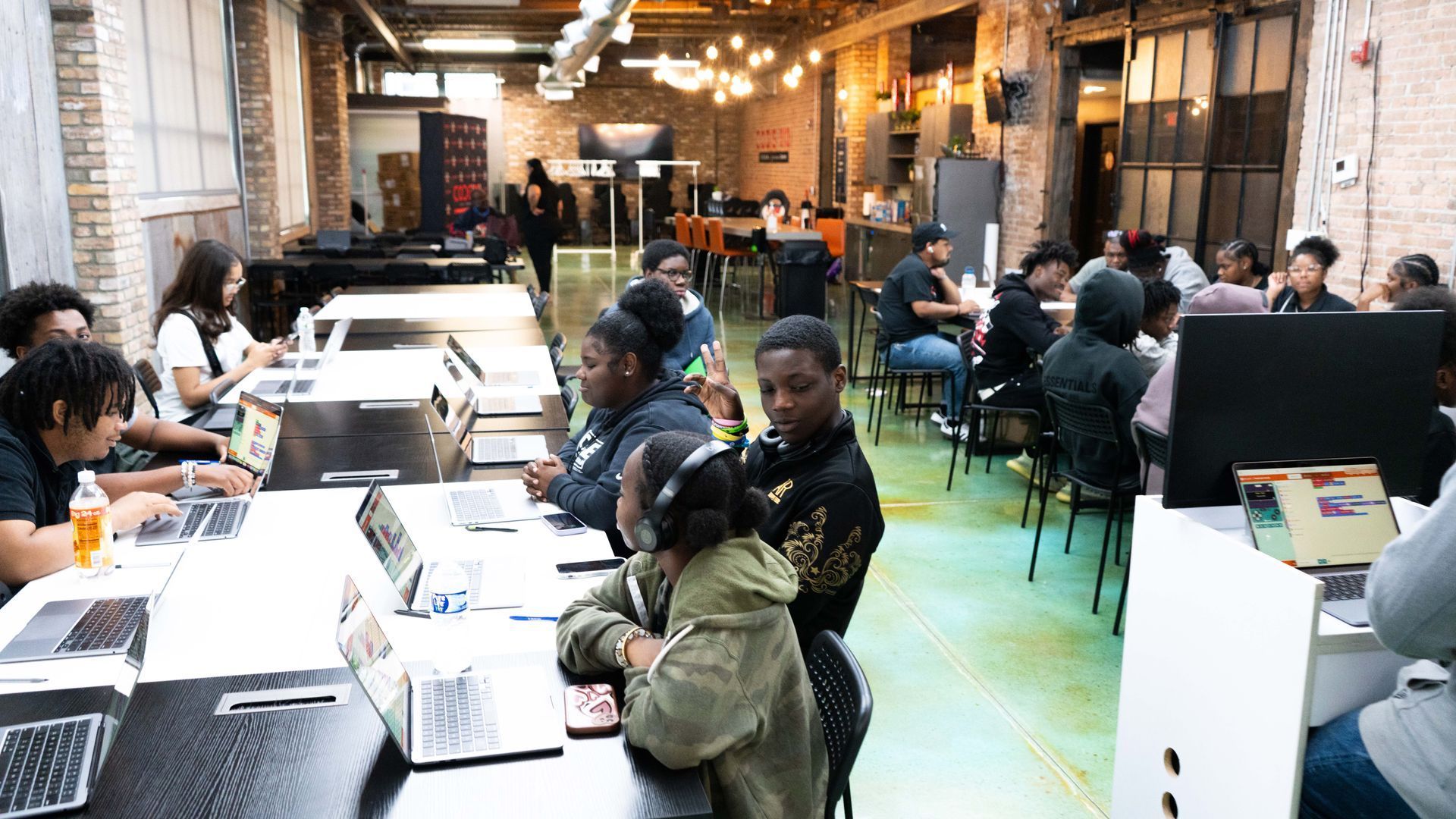
High school scholars coding together
Home/ Programs/ Coding & Innovation Clubs/ Physical Computing
CCIC Course 03 · 2026–2027

Physical Computing

Code meets circuits. Scholars program microcontrollers to control lights, sensors, and motors, then build and showcase a working project.

Course 03 of 06
Grades 9–12
Ends with A showcase

CCIC Course 03

Code that controls the real world.


Physical Computing is the third course in the CODE313 Coding & Innovation Clubs rotation. Scholars write code that controls real hardware: lights, sensors, buttons, and motors wired on microcontrollers.


This is where software meets the physical world. Scholars watch their code light up an LED, read a sensor, or spin a motor, and they learn to troubleshoot both the circuit and the program until their build works.


03 Course in the six-pathway CCIC rotation
4 Stages: learn, code, build, showcase
9–12 9–12th grade high school scholars
What scholars learn

From first circuit to working build

Every session is hands-on. Scholars learn how hardware and code work together, then put it all into a project of their own.


01

Circuit basics

How electricity flows, how to wire components safely on a breadboard, and how to read a simple circuit.

Circuits · Breadboards · Safety

02

Programming microcontrollers

Write and upload code that tells a microcontroller exactly what to do, step by step.

Microcontrollers · Code · Logic

03

Reading sensors

Use inputs such as buttons and light, motion, and temperature sensors to collect information from the world.

Inputs · Sensors · Data

04

Controlling outputs

Make lights, sounds, and motors respond to code and to what the sensors detect.

Outputs · LEDs · Motors

05

Debugging hardware and code

Test, find, and fix problems in both the wiring and the program, one step at a time.

Testing · Troubleshooting · Iteration

06

Prototyping a solution

Teams combine inputs and outputs into a working build that solves a problem they choose.

Design · Teamwork · Prototyping

The rotation

Learn. Code. Build. Showcase.

Every CCIC rotation follows the same rhythm. In Physical Computing, it looks like this.


Step 01

Learn

Scholars learn circuit basics, the parts of a microcontroller, and how inputs and outputs work.

Step 02

Code

Scholars write programs that read sensors and control lights, sounds, and motors.

Step 03

Build

Teams wire and program a working project, testing and fixing it until it performs.

Step 04

Showcase

Scholars demonstrate their build, explain how it works, and reflect on what they learned.


Part of the CCIC school year

One course. Six pathways.

Physical Computing is Course 03 in the Coding & Innovation Clubs school year, alongside Application Development, Video Game Design & Development, Augmented Reality, Robotics, and Drone Fundamentals. Every rotation ends in a showcase, and by June every scholar has six projects across six pathways to show for it.


Where it can lead

Career connections

Physical computing skills connect to careers where hardware and software meet.


Embedded Systems Technician

Builds and tests the small computers inside everyday devices.

Electronics Technician

Assembles, tests, and repairs electronic equipment and circuits.

Mechatronics Engineer

Combines mechanics, electronics, and code to design smart machines.

IoT Developer

Connects sensors and devices to the internet to collect and act on data.

Hardware Prototyping Technician

Turns ideas into working hardware prototypes that can be tested and improved.

Electrical Engineering Technician

Helps engineers design, build, and test electrical systems.

Cover of the CODE313 Coding & Innovation Clubs Booklet
Download

Get the CCIC booklet

Everything in one place to share with your principal, district, or leadership team: how a club works, the six-course rotation, the school-year plan, and sponsorship details.


  • The six pathways scholars rotate through
  • The course rotation timeline and showcases, Sep–Jun
  • What CODE313 and your school each provide
  • The $25,000 club budget and ways to give

PDF · 12 pages · 3.9 MB

Launch a club. Build the future.

Host a club at your school, sponsor a club, or become a mentor.